AI Correlations
AI Correlations analyses the state change history of hosts and finds hosts whose problems occur together. The result is a correlation matrix shown as a graph, a ranking of the most connected hosts and, optionally, a set of assets saved to CMDB.
The module is available under AI Control -> Correlations.
Note:
After an upgrade from 1.5.x the module returns 403 until an administrator enables the
ai_access permission under Manage -> Configuration ->
Group Rights. A fresh 1.6.0 installation has the permission enabled.
Building a matrix
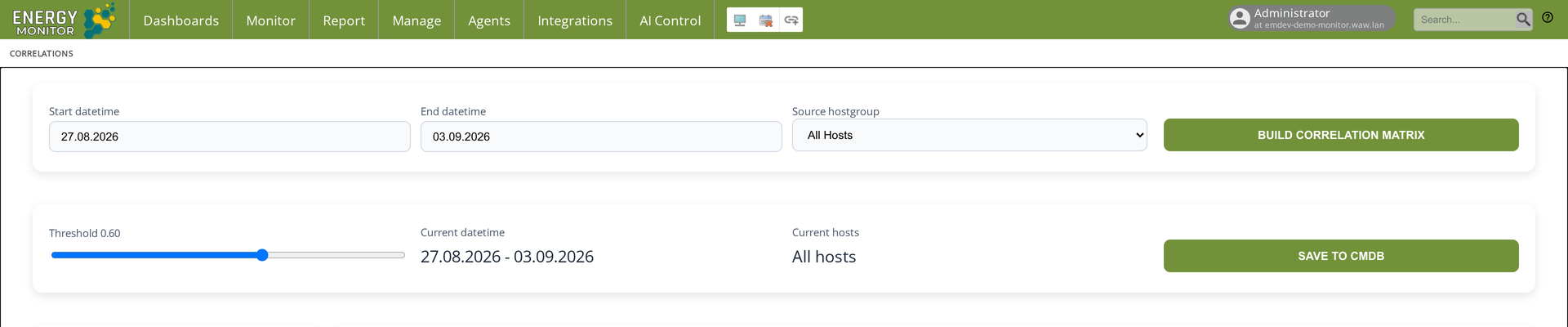
Choose Start datetime and End datetime. The analysis covers the state changes in that window; the default is the last seven days.
Choose the Source hostgroup: all hosts or one host group.
Click Build correlation matrix. The graph and the ranking appear after a moment.
Move the Threshold slider to change which correlations count as strong. The default is 0.60.
The panel on the left shows the currently selected host, its number of strong correlations and the list of strongly correlated hosts. Clicking a node in the graph selects it; the search field finds a host by name.
Reading the graph
The size of a node is the number of correlations of that host.
An edge between two nodes is a correlation above the threshold.
The table Top 10 Hosts by Connections lists the hosts with the most correlations in the analysed window.
Hosts that change state at the same time appear as a tightly connected cluster. Hosts of the chosen group with no correlations in the window are listed with zero connections.
Saving to CMDB
Save to CMDB writes every host of the matrix into CMDB as an asset with its IP address, the date and the number of correlations, and fills the Relations tab of CMDB with the correlated hosts. Risk groups defined in CMDB can then be assigned to the assets according to the correlation count. See the CMDB chapter.
Saving again adds new entries to CMDB; entries from earlier saves stay with their own date. See the CMDB chapter.
Scope of the module
Version 1.6.0 provides event correlation between hosts and the link to CMDB. Forecasting, anomaly detection and AI-based alerting are not part of this version.
Technical notes
The backend is the
intelligencepackage, installed by the installer together with thecmdbpackage.Renaming a host does not rename its history. After a rename, matrices built on a window that includes the old name show both names until the window moves past the rename.
Access is controlled by the
ai_accesspermission in/etc/energy-monitor/auth_groups.yml.