Integrations
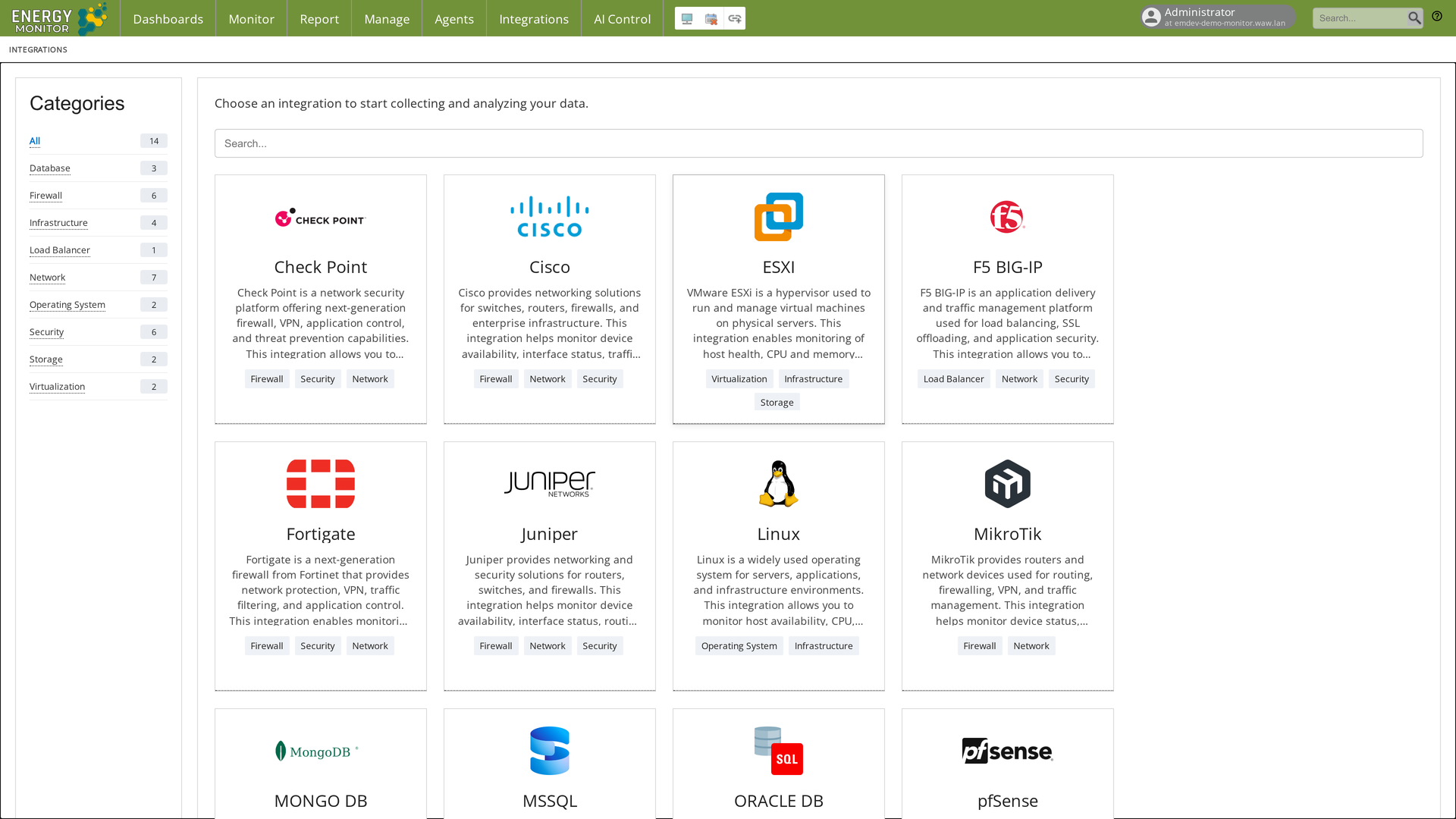
Integrations, introduced in version 1.6.0, is a catalogue of supported technologies with a dedicated configuration form for each. Instead of adding a host and choosing service buckets by hand, you pick the technology, fill in the connection details and let Energy Monitor create the host and its services.
Integrations are available from the Integrations entry on the main bar.
Note:
After an upgrade from 1.5.x the module returns 403 until an administrator enables the
integrations_access permission under Manage -> Configuration ->
Group Rights. A fresh 1.6.0 installation has the permission enabled.
Catalogue
The catalogue lists 14 integrations: Check Point, Cisco, ESXi, F5 BIG-IP, Fortigate, Juniper, Linux, MikroTik, MongoDB, MSSQL, Oracle DB, pfSense, Proxmox and Windows. The category panel on the left filters them: Database (3), Firewall (6), Infrastructure (4), Load Balancer (1), Network (7), Operating System (2), Security (6), Storage (2), Virtualization (2). A card can belong to more than one category; the tags under each card show which.
Each card describes what the integration monitors. For a network device this is typically device availability, interface status, traffic, port errors and the vendor-specific health services; for a hypervisor host health, CPU and memory, datastores, network interfaces and virtual machine status; for a database availability, sessions and performance counters.
Adding a device
Click the card of the technology, for example Cisco. The page shows the form, the devices already configured with this integration and the bucket services that will be applied (for Cisco the bucket Switch Cisco: CPU Load, Fan Fail, Free eth interfaces for X days, Memory, Module Health, PING, Power Supply Fail, Temperature).
Fill in the form: hostname, IP address, alias, SNMP version (v2c or v3) and the Community or, for v3, the security level and user. The community is not typed in; it is chosen from resource macros (see below). The host group is preselected to match the technology.
Click Save. The host is created in the technology’s host group with the bucket services, and for SNMP devices the interfaces are scanned at once: every interface found gets three services (Traffic, Errors, Status) with the interface index as an argument. On a switch with 17 interfaces this takes a few seconds.
Save the configuration under Manage -> Configure -> Save. Until saved, the host is not monitored.
Resource macros for credentials
The community string (and the SNMP v3 user) is passed to the checks as a resource macro,
so the secret stays in /opt/naemon/etc/naemon/resource.cfg and not in the service
definition. The form lists only macros whose name starts with EM_:
$EM_SNMP_PUBLIC$=public
Without at least one such macro the form refuses to save with the message
“Community macro is required”. The macro is referenced in the check arguments as
$EM_SNMP_PUBLIC$.
Note: On the device side the address of the Energy Monitor server (or of the poller that will run the checks) must be allowed as an SNMP client. Energy Monitor polls the device; the device does not push data.
Relation to buckets and scans
An integration creates one host in the host group of its technology with that technology’s set of services. Scan Schedule and Network scan (Manage -> Configure -> Network autoscan) discover hosts in an address range and apply buckets; Integrations configure one device at a time with the details the technology needs.
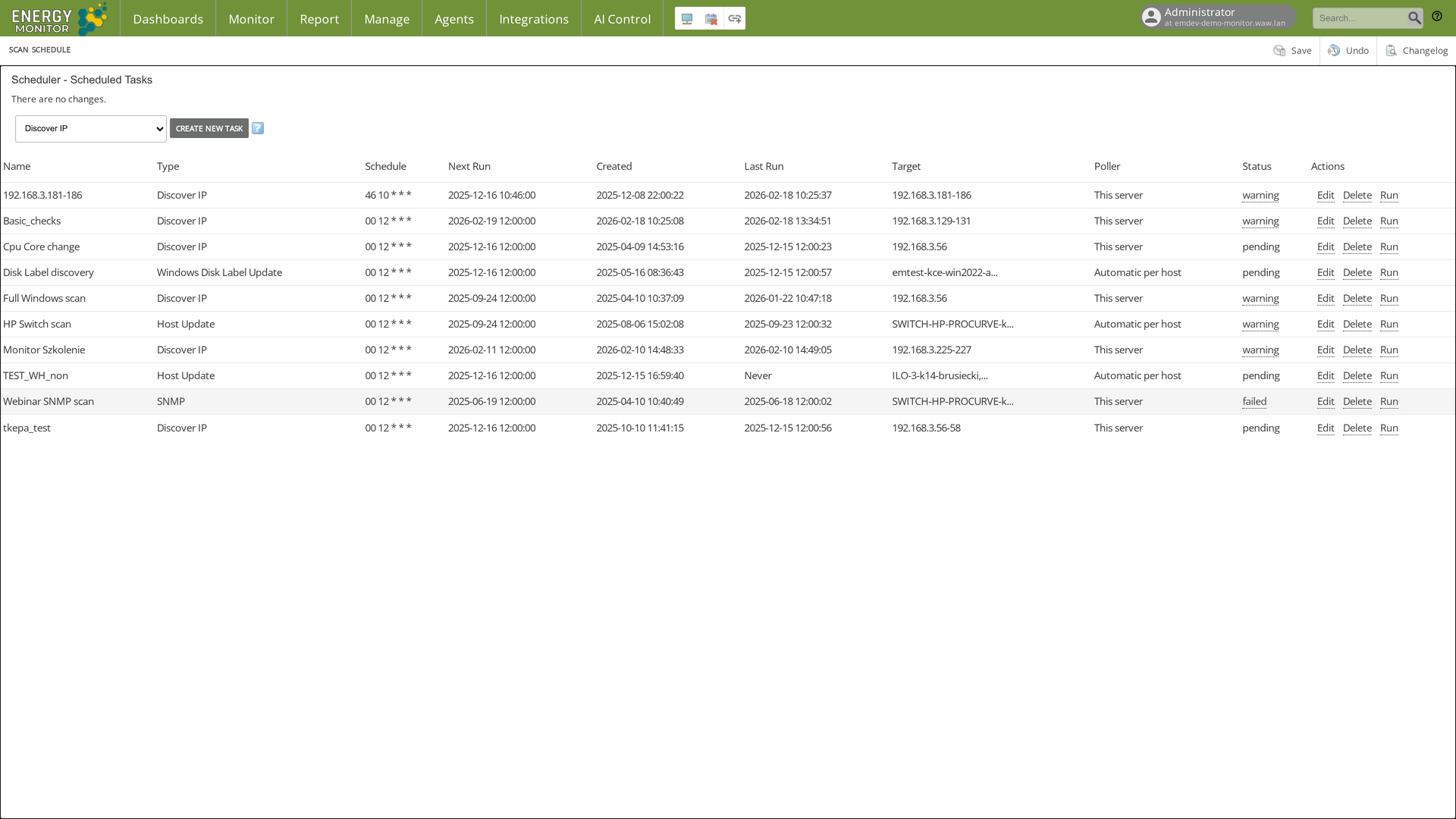
Use Integrations for network devices, hypervisors and databases where credentials or SNMP settings are required. Use scans for subnets of servers that already run an agent.
Technical notes
Icons and descriptions follow the conventions of Energy Logserver integrations.
Access is controlled by the
integrations_accesspermission in/etc/energy-monitor/auth_groups.yml.